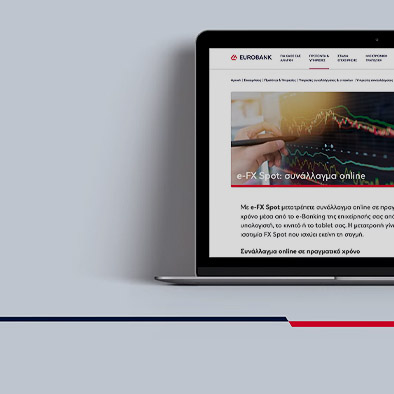
You can convert currency online with:
- e-FX Spot – Convert currency with immediate settlement.
- e-FX Forward – Lock in a fixed FX rate to convert foreign currency at a specific date and for a specific amount.
- e-FX Flexible Forward – Lock in a fixed FX rate to convert foreign currency over a specific period and for a specific amount.
FX rate
e-FX for Business is available through Eurobank e-Banking for business wherever you are, round the clock, on Greek working days.
View the final exchange rate, including all conversion fees, through your e-Banking.
For any amount based on your needs
Trade currency online with e-FX for Business up to any amount, provided the terms and conditions are met per product.
The limit for the transactions you may carry out with e-FX for Business is determined based on your profile and needs.
No additional charges
Activate e-FX for Business through e-Banking for business at no extra charge.
Online currency conversion is carried out at the exchange rate you see on e-Banking at the time. This exchange rate includes the currency conversion fees.
There is no additional charge for e-FX for Business during the transaction settlement, in your account or otherwise.
Conversion into the currency you need
With e-FΧ for Business you can exchange most currencies online. For example:
- EUR – Euro
- USD – United States dollar
- GBP – Pound sterling
- JPY – Japanese yen
- CHF – Swiss franc
- HKD – Hong Kong dollar
- AUD – Australian dollar
- ZAR – South African rand
You must hold a sight account in the buy and sale currencies.
Accounts in any currency
To convert currency online with e-FX for Business, you must already hold a sight account at Eurobank:
- In the sale currency – This is the account that is charged with the amount you convert into another currency. To make the conversion, the balance in the account must cover the amount of the transaction at the time of settlement.
- In the buy currency – This is the account that will be credited with the currency from the e-FX for Business conversion.
To open a sight account in the currency you want, contact the Eurobank associate you work with or call us on +30 2109555019.
The currency you need
Choose e-FX for Business on your e-Banking and fill in the main details about the currency you want, according to the terms and conditions per product.
You receive a representative FX rate, based on the amount and currency pair you fill in.
The FX rate you lock in
If you want to make the currency conversion online, you see the final effective FX rate at the time, including the fees.
You have 10 seconds to accept that rate and proceed with the currency conversion online.
Otherwise, you can wait for a few seconds to get a new FX rate or start the process of the currency conversion at a later time, to lock in a different FX rate.
Transaction settlement
With e-FX for Business, the currency conversion is completed on the settlement date you have set. The transaction appears in the debit account (in the sale currency) and credit account (in the buy currency) of your business.
Through e-Banking you can keep track of your e-FX for Business transaction history.
People often ask about e-FX for Business
What if I cannot connect to the internet or log into e-Banking for business?
You cannot convert currency online with e-FX for Business. You can, however, initiate the currency conversion over the phone.
Contact the Eurobank associate who works with your business.
Otherwise, contact the Global Markets Division:
- +30 2103718999 and GlobalMarketsCorporateSalesDesk@eurobank.gr.
- +30 2103718754 and GlobalMarketsRetailSalesDesk@eurobank.gr.
Can any of my employees convert currency online with e-FX for Business from my e-Banking for business?
With e-FX Spot you convert currency online in real time.
To lock in an FX rate for a future date, you can use e-FX Forward or e-FX Flexible Forward.
Does my limit for e-FX for Business transactions change if additional e-Banking for business users obtain user rights? Can I make changes to these rights?
Your limit remains the same, regardless of the number of users that can carry out e-FX for Business conversions through your e-Banking.
To set up user rights or make any changes to the users or their rights, you have to resend the legal documents of your business. It may be necessary to fill in again the application for activating the service.