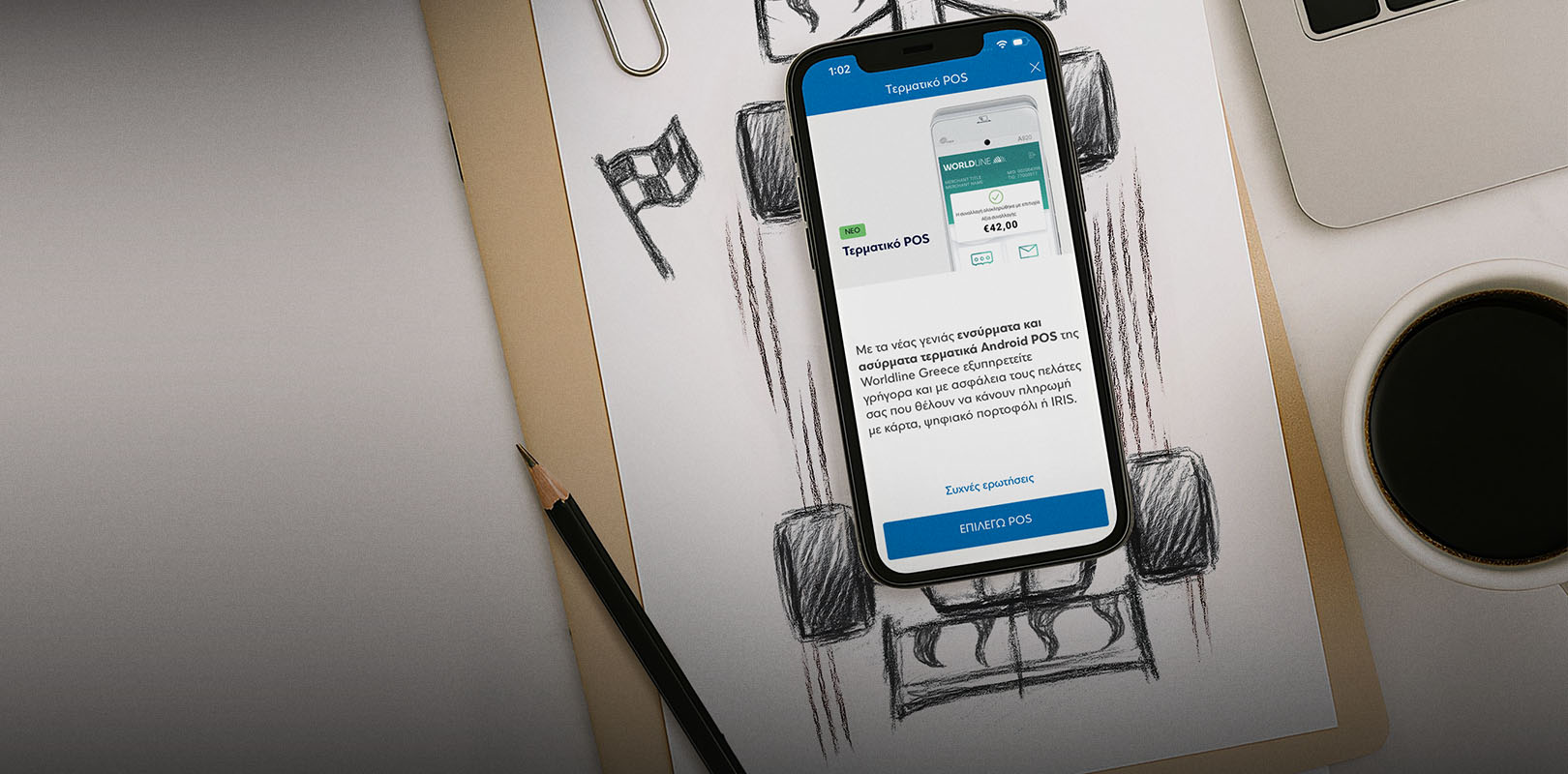

Buy or lease an Android POS
Choose the way that is most convenient for you:
Android POS terminal through e-Banking
If you are freelance professionals or own a sole proprietorship, log into your e-Banking and then choose Products > Businesses > POS terminal:
- Choose if you want a POS for a new or existing shop, the business address and purchase or leasing programme.
- Choose terminal type and quantity.
- Upload the necessary supporting documents: Certificate of business activity and recent E3 form.
- Fill in the details for your business and POS, as well as the contact information.
- Confirm the payment details and find out about the POS fees.
- Accept the terms and complete your application.
Your application will be reviewed by Wordline Greece and you will be notified about the outcome through Viber/SMS or email.
If your application is approved, you’ll receive the POS terminal at the business address you have registered within 3-5 days.
Android POS terminal through the Eurobank Mobile App
If you are freelance professionals or own a sole proprietorship, log into the Eurobank Mobile App and then choose Products > Businesses > POS terminal:
- 1. Choose if you want a POS for a new or existing shop, the business address and the purchase or leasing programme.
- Choose terminal type and quantity.
- Upload the necessary supporting documents: Certificate of business activity and recent E3 form.
- Fill in the details for your business and POS, as well as the contact information.
- Confirm the payment details and find out about the POS fees.
- Accept the terms and complete your application.
Your application will be reviewed by Wordline Greece and you will be notified about the outcome through Viber/SMS or email.
If your application is approved, you’ll receive the POS terminal at the business address you have registered within 3-5 days.
Android POS terminal at a branch
If you are freelance professionals or own a business of any legal form, make an appointment at one of our branches to apply for an Android POS.
- Bring with you your certificate of business activity, a recent E3 form and a copy of your ID card or any other valid ID document.
- Submit an application to buy or lease an Android POS.
- If your application is approved by Worldline Greece, you’ll receive the POS terminal at the business address you have registered within 3-5 days.
Main functionalities
Make the most of the functionalities offered by the Worldline Greece Android POS terminals:
- Universal acceptance of Visa, Mastercard, Maestro and China Union Pay.
- Option for interest-free instalments with credit cards from any bank and advance funding of interest-free instalments.
- Direct Currency Conversion (DCC) enabling your customers to pay in their own currency, with a rebate paid to your business.
- Tip.
- Pre-authorisation and pre-authorisation finalisation.
- Secure use of specific POS functions with PIN protection, e.g. refunds or transaction reversals.
- Preloaded transactions for deferred payment within 24 hours.
- Option to pay receipts by splitting the amount between multiple cards, IRIS payments and cash (Split Bill).
- Easy connection of the POS with your cash register or cash register system (ECR, ERP and Cloud ERP) and support for multiple cash registers from a single POS.
- Card transactions cleared in your business account on the next working day and IRIS payments cleared instantly.
- e-Banking monitoring of all activity on the account linked to the Android POS.
Advanced wired and wireless terminals
- Phone support 24/7.
- Innovative Wordline POS app.
- All payment methods: Contactless, Chip & PIN, Wallets, IRIS.
- Maximum security per latest standards.
- Friendly user experience.
- Ergonomic design.
- Powerful processor.
Cashback rewards in €pistrofi euros
If your business is part of the €pistrofi loyalty programme, your customers earn €pistrofi euros for shopping with a Eurobank card linked to the programme.
Discover all the benefits of the €pistrofi loyalty programme for your customers.
Phone service
Call on +30 2106303050. The phone service is available 24/7 all year round.
People often ask about Android POS terminals
My business is newly established and I have not filed an E3 statement yet. Can I apply online for a POS terminal?
No. The E3 statement is necessary to apply online.
However, you can apply at a Eurobank branch, even without the E3 statement.
I already have a POS for my shop in partnership with Worldline Greece, after applying at a Eurobank branch. Can I get a second POS terminal for the same shop?
Yes. You can get a second POS for the same shop, either online or at a Eurobank branch.
I already have a POS for my shop in partnership with Worldline Greece, after applying at a Eurobank branch. I want a POS for a new shop I am opening. Can I apply for a POS terminal?
Yes. You can apply for a POS for your new shop either online or at a Eurobank branch.
We may ask for a recent E3 form and a certificate of business activity.
If my application is approved, do I only get the POS or do I sign a contract with Worldline Greece regarding transaction acceptance and clearance?
If you do not already have a contractual relationship with Worldline Greece for a POS for the activity you are interested in, then you sign a contract and if your application is approved, you receive the POS terminal.
If you already have a contractual relationship for a POS with Worldline Greece, that contract remains in effect and you also accept the current contractual terms. If your application is approved, you receive the POS terminal.
The Worldline Greece Android POS terminals can connect to all cash register systems that use IARP connection protocols.
Specifically, they can connect to ECR, ERP and Cloud ERP cash register systems and multiple cash registers.
You are not obligated to stay in the programme when you buy a POS terminal.
When you apply for a POS terminal, the payment you make covers the cost of the terminal and the first period of use, depending on the programme you choose.
To keep the POS active and continue to carry out transactions, you prepay the cost of each subsequent period of use and the programme is extended accordingly.